Subjects
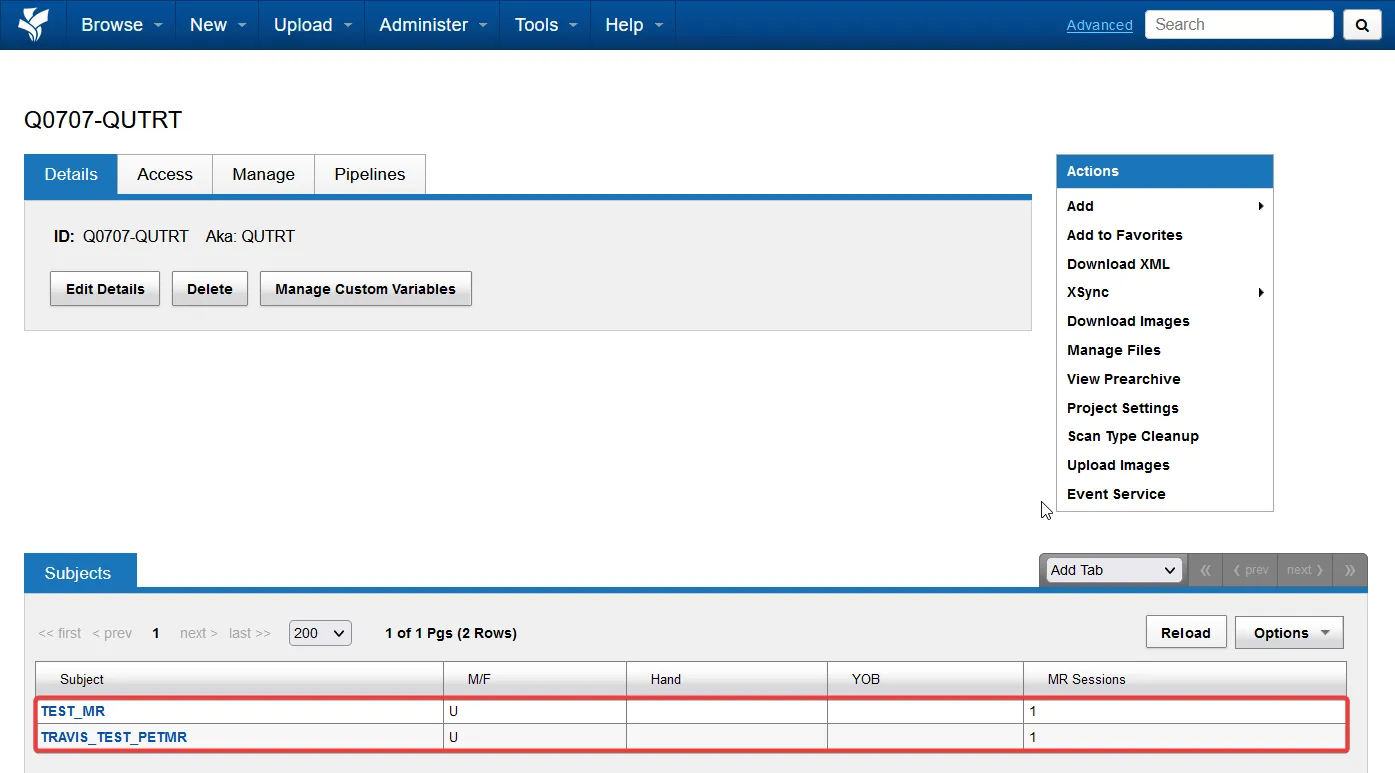
Open a subject
Section titled “Open a subject”Open a project to see its subjects. Select a subject from the list to open its page and review the associated imaging sessions and metadata extracted from the DICOM files.
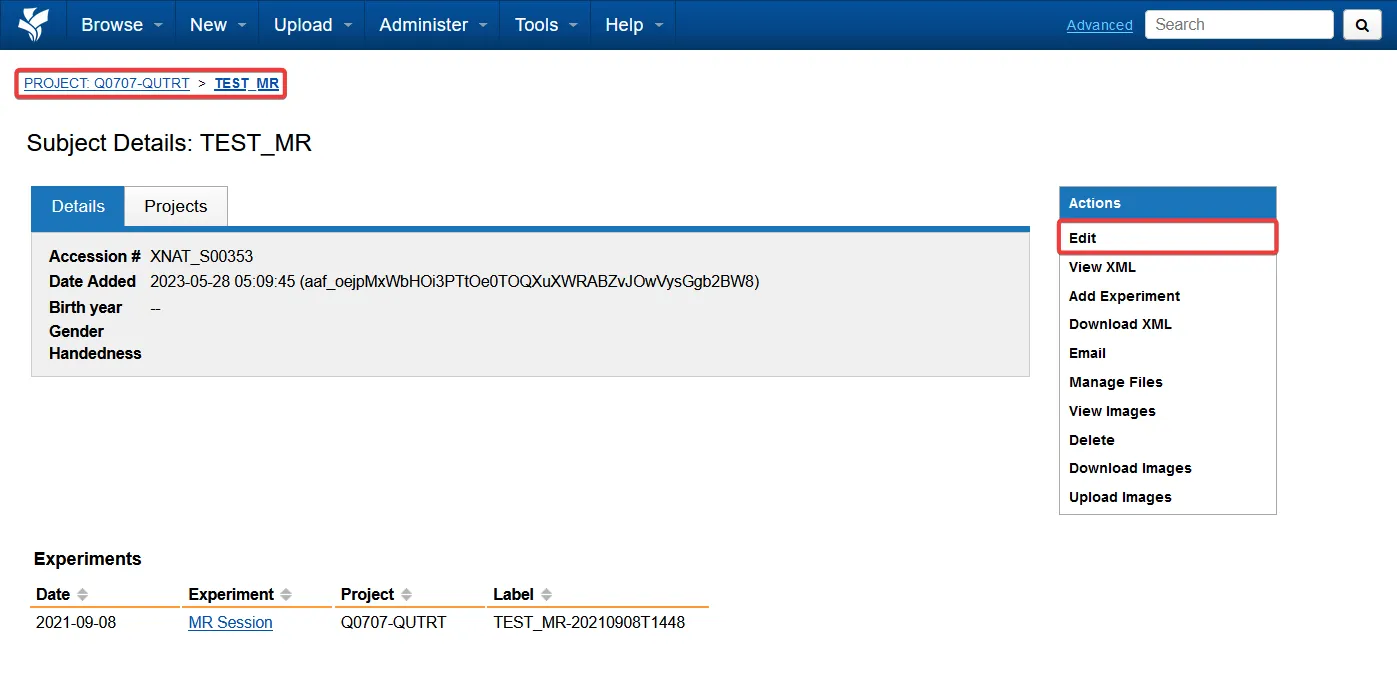
Edit subject details
Section titled “Edit subject details”Use the actions panel on the right of the subject page to edit its details and metadata.
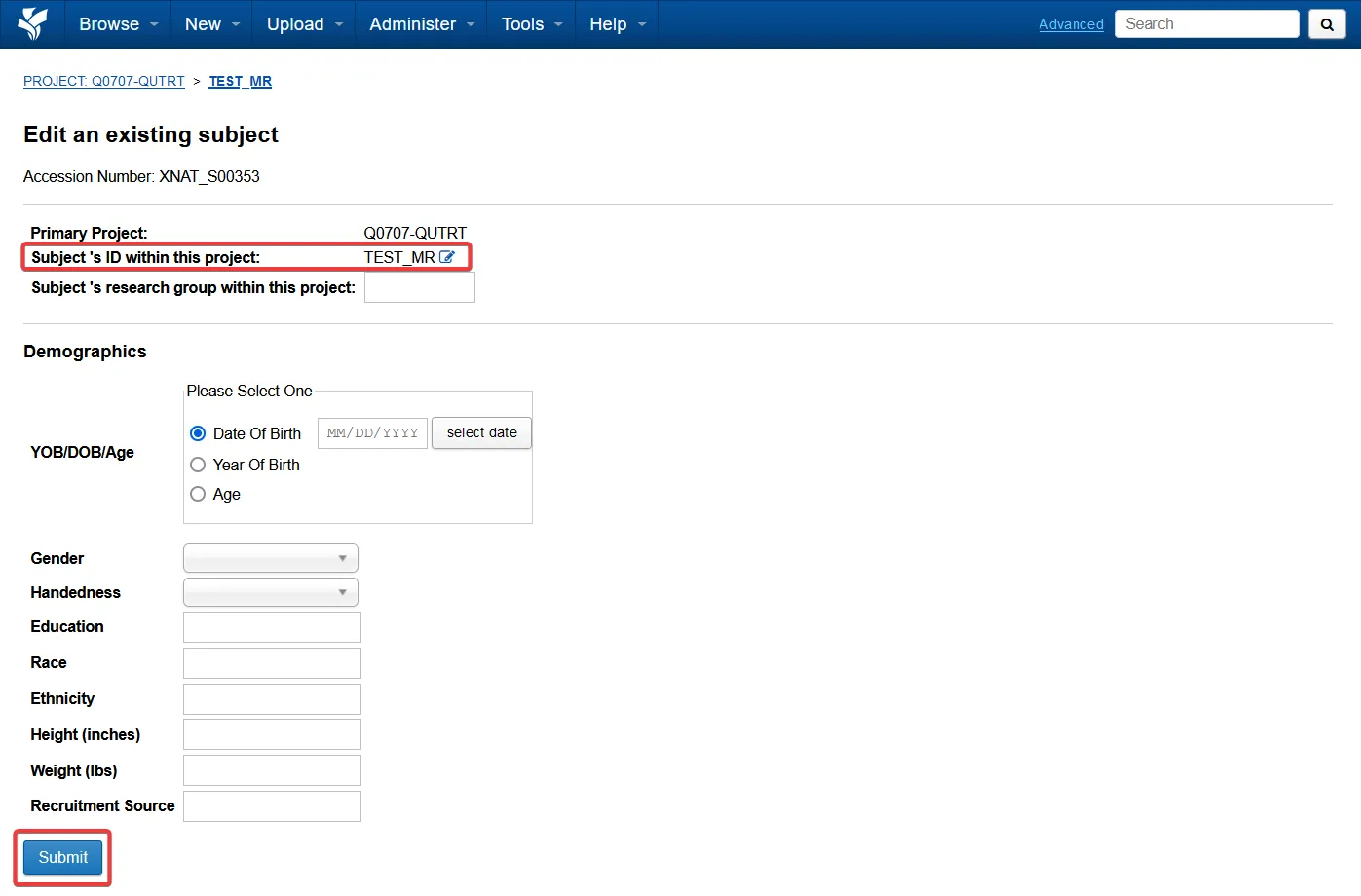
Rename a subject
Section titled “Rename a subject”- Select the edit button beside Subject ID.
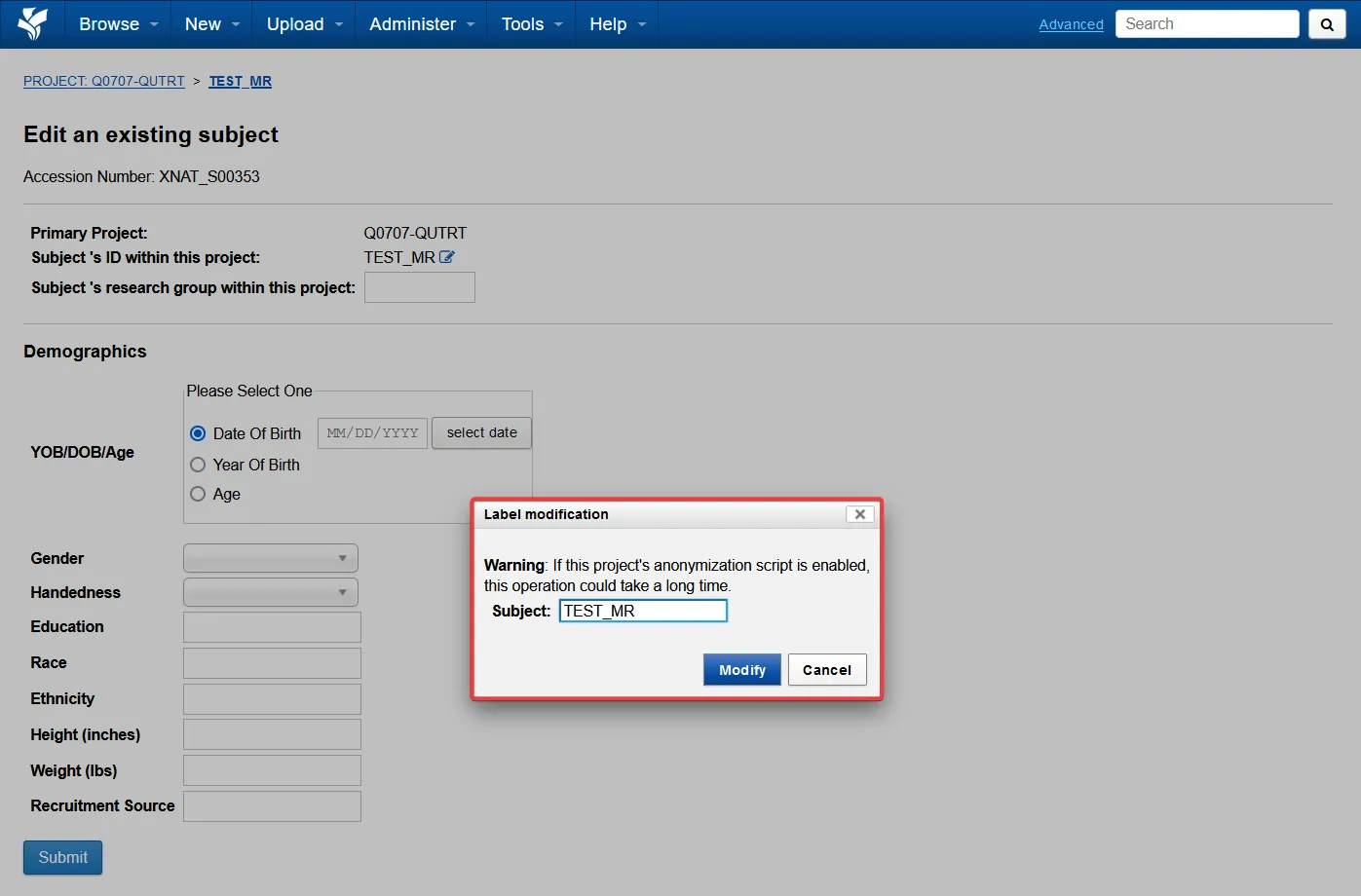
- Enter the new subject ID in the dialog.
- Select Modify, then submit the change.
Renaming may take a few minutes because XNAT updates the subject and its associated data.
Next steps
Section titled “Next steps”Sessions and scansOpen a subject's imaging sessions, inspect scans and edit session metadata.