Custom upload forms
This is to create a web upload form for repeated uploads of any data type.
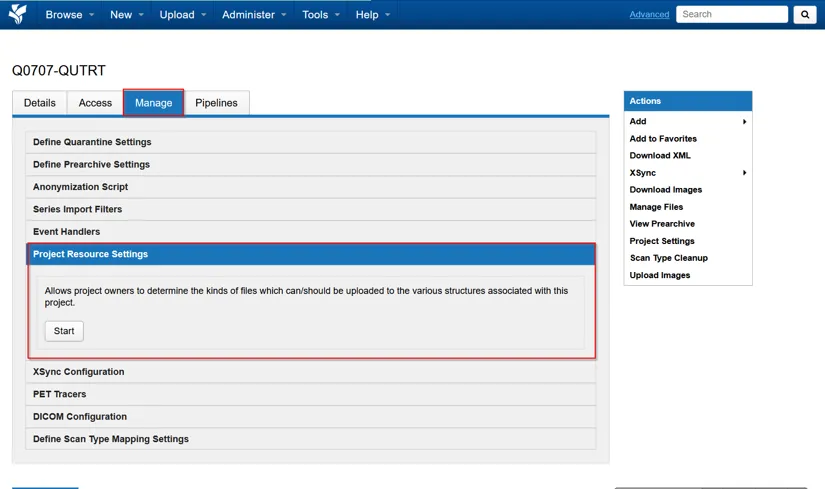
Navigate to Project → Manage → Project Resource Settings → Start
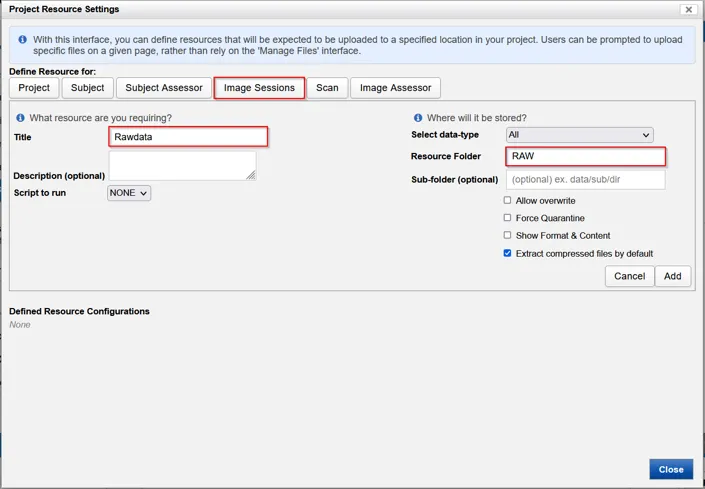
Select Image Sessions. Enter the following required fields
- Title: e.g. Rawdata
- Resource Folder: e.g. RAW
- Extract compressed files by default
Select Add when complete
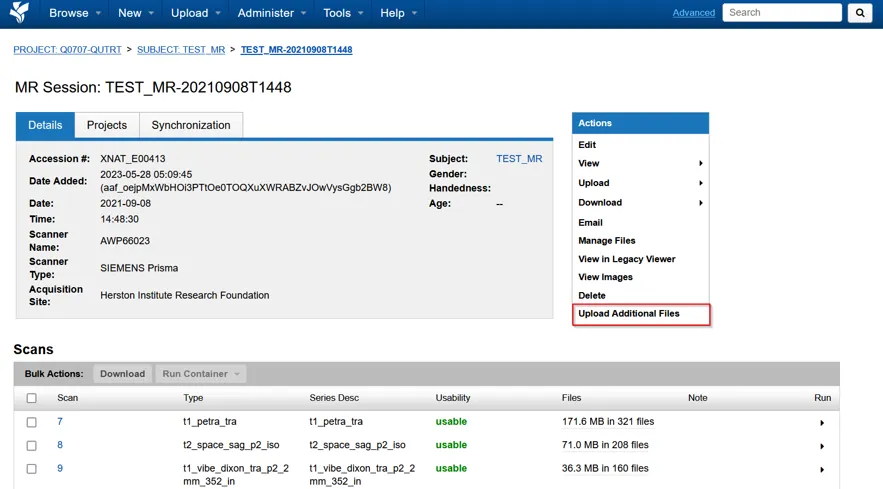
To upload file(s) using the resource uploader, Upload Additional Files from the Sessions page
Next steps
Section titled “Next steps”Upload from the browserUpload a de-identified DICOM ZIP archive through the compressed uploader.
Fix a stuck uploadReview, modify or archive data waiting in the prearchive.