Search
Use XNAT search to find projects, subjects or imaging sessions that match known metadata or identifiers.
Choose what to search
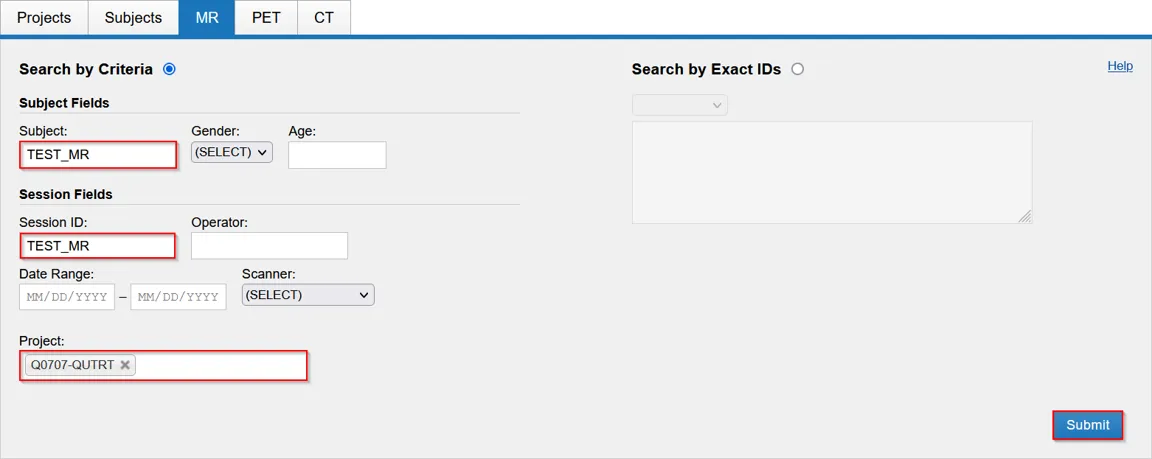
Section titled “Choose what to search”Open Advanced search, then select a data type. You can search Projects, Subjects, MR, PET or CT. The available fields change with the selected data type.

Search by criteria
Section titled “Search by criteria”Select Search by Criteria, then enter one or more values in the form. You do not need to complete every field. For example, an MR search can combine a project, subject, session ID, date range, scanner or subject metadata.
Select Submit to run the search.
Search by exact IDs
Section titled “Search by exact IDs”Select Search by Exact IDs when you already know the identifiers you need. Enter the identifiers in the field provided, then select Submit.
Switch back to Search by Criteria when you need to find records from partial metadata instead.
Review the results
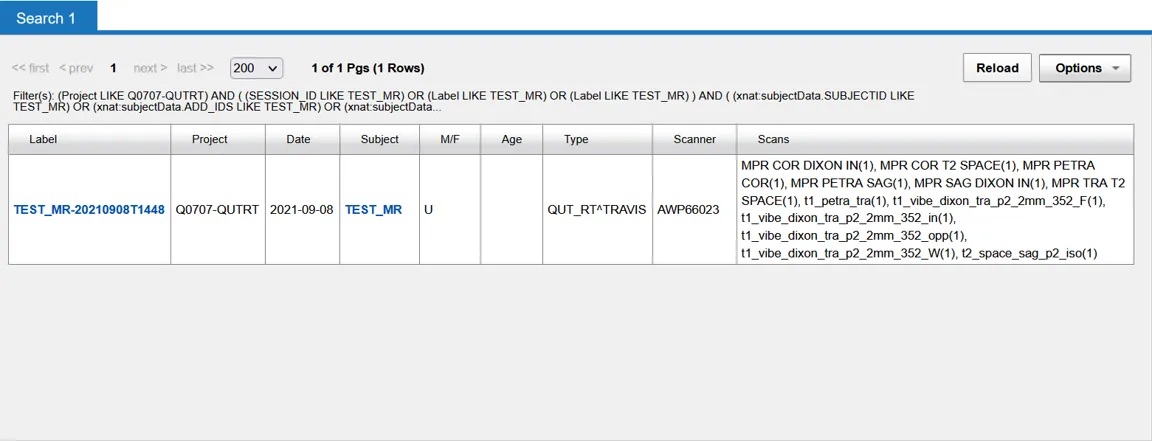
Section titled “Review the results”The results table shows matching records and their project, subject, date, modality and scanner details. Select a linked label or subject to open that record. Use Options to work with the result set, or Reload after changing the search.