Description of the project
…
Use the following steps to request an increase in storage size and/or file count limit:
Go to rdm.uq.edu.au, log in and select your RDM collection
Click the Request more storage button (shown below)
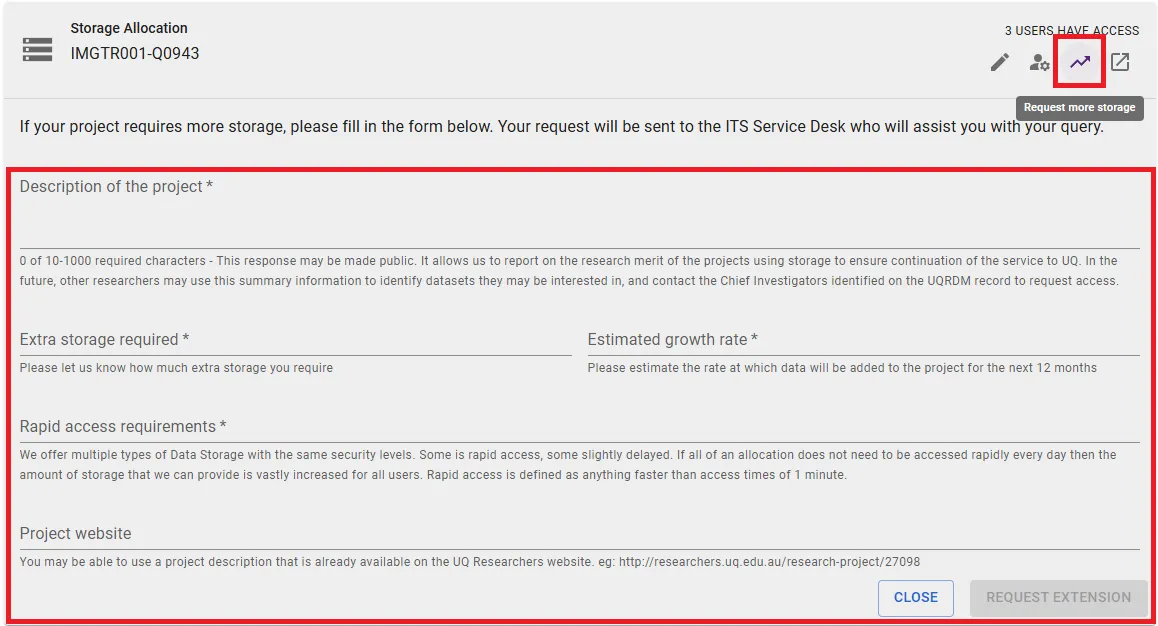
Fill the form with the relevant details and submit.
E.g. For a project with 2 years of data acquisition, collecting a total of 1TB and 1 million files, the request form could look like this:
Description of the project
…
Extra storage required
Increase storage space by 1TB.
Increase file count limit by 1M files.
Collection is connected to UQ XNAT so cannot zip/tar files
Estimated growth rate
0.5TB per year
0.5M files per year
Rapid access requirements
…